neocomposer
source code @ https://github.com/jakeonaut/neocomposer
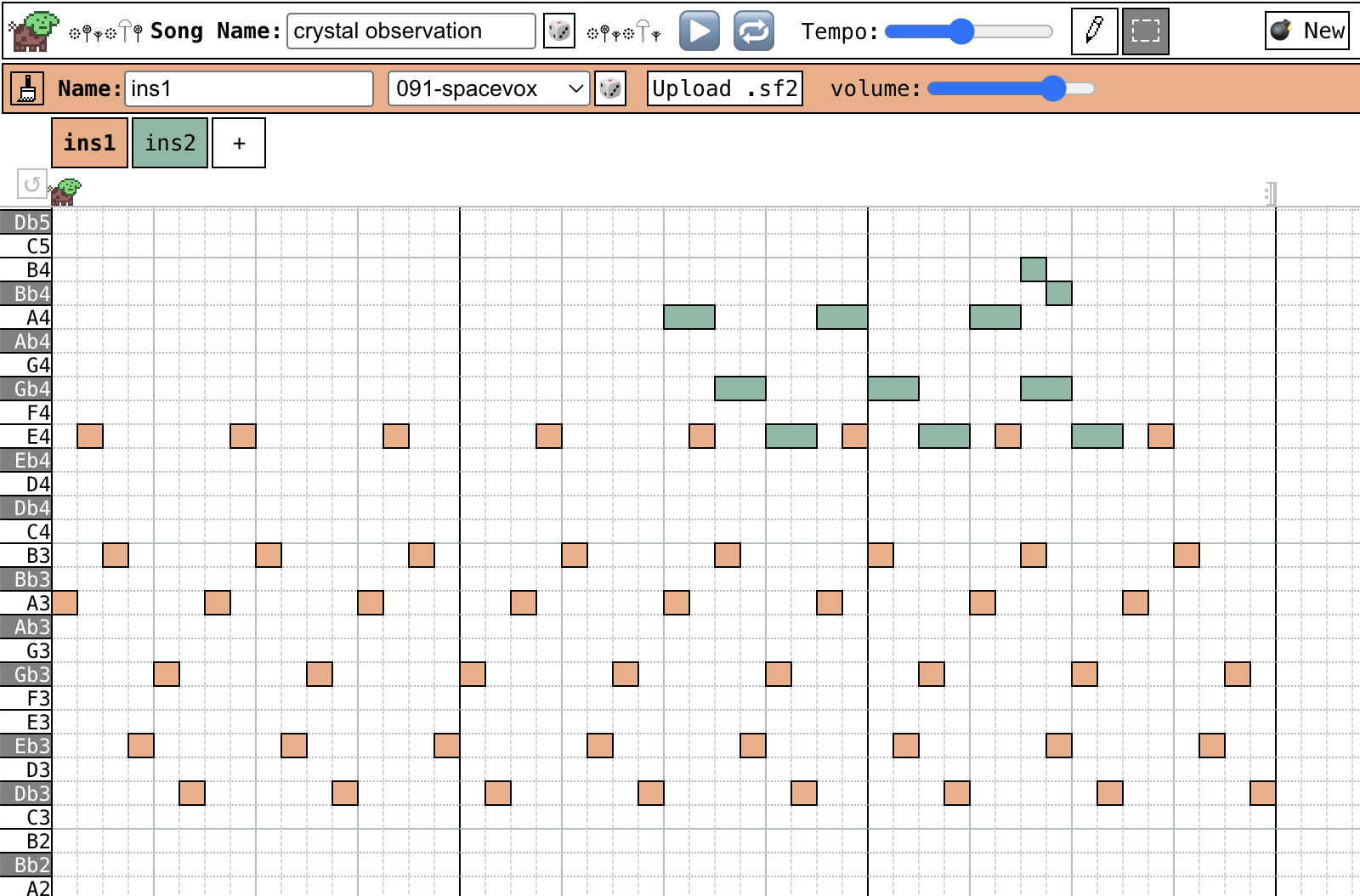
I made a little midi sequencer for your browser!
Inspired by Mario Paint Composer and other similar tools,
I wanted something that could import soundfont files and make silly little tunes.
🍊 How to Play:
- Click (and drag) the grid to place notes!
- Right click (or ctrl/cmd+click) a note to delete it!
- Press Space to play / pause!
- Use asdfghjkl; and wetyuop keys to practice!
- Plus and minus keys increase or decrease the octave.
- Use 1, 2, 3, etc. to quickly swap between instruments!
- Ctrl+Z and Ctrl+Y/Ctrl+Shift+Z will undo and redo changes!
🐠 Expert Tips:
- Clicking on the space above the grid, where the dog lives, will move the dog to where you clicked!
- If you double click that space, you can loop a single "measure"
- Then, click and drag the repeat symbols to change where your "looping" happens.
- Click the looping arrow all the way to the left to reset this.
- Use shift to quickly swap between note pencil and select mode!
- Hold shift + drag the cursor to select notes!
- Press shift + 1, 2, 3, etc. to select all notes for a given instrument!
- Press 'q' to switch between triplet and quarter note mode.
- Press 'r' to switch between 4/4 and 3/4 mode.
- Hold shift + double click a measure to select all notes in that measure.
- Hold ctrl/cmd + double click a measure to delete all notes in that measure.
- Use escape to clear note selection!
📚 How do I run it offline?
1. Download offline.zip and unzip it.
2. Open up the index.html file
3. The soundfont doesn't auto-load, so you will have to click "Upload .sf2" and upload the included microgm.sf2 file!
TODO (ignore if ur not jakeonaut):
- [ ] - :think: patterns???? (https://github.com/danigb/smplr#pattern-chain-song-mode)
- [ ] make it play nicer in mobile
- clicking and dragging multiple triplet notes doesn't properly set their relative note offsets to each other
- same with clicking and dragging quarter notes when triplets are ALSO selected
Download
Click download now to get access to the following files:
Development log
- MIDI Input & Triplet Bug Fixes13 days ago
- Performance Improvements - Now Supports 2x song length!16 days ago
- Added offline mode27 days ago
- Export to mp3 ! 💽31 days ago
- ↩️ Undo / ↪️ Redo functionality improved32 days ago
- Export to .wav !38 days ago
- Midi Export41 days ago
- neo-composer - make music in your browser47 days ago
Comments
Log in with itch.io to leave a comment.
i love it!! i have one small issue, i cant see these correctly apart from that, its great!
Make an offline version (Bundle'em all into an html)
Alright, I included an "offline.zip" file that contains the bundled html and the "microgm.sf2" (that you will need to "Upload" in order for the offline version to work). I included a README.txt as well with instructions.
MIDI Import please!
Working on mp3 export next (having some problems properly converting the audioBuffer with the lamejs library I'm trying), and then I'll take a look at MIDI Import!
Theoretically it should just work in reverse as to what I have for MIDI export, but I'm not sure if I'll run into any weird bugs.
Alright, I just uploaded a version with MIDI import! Let me know how that works!
Bonus: add a tempo number
Yay! This is a cool new way to use the few .sf2 files I've been piling up with the years :)
Nice tool! Quick suggest: play note when clicking the keys on the left.
Thank you! And okay, I just added this! I apparently had it in the code already but it was commented out when I was refactoring something else.
cool app! But please use consistent icons, right now some are emojis and some are images
I really like it, easy to use at least for me
Always a good day when you make something, this is neat